Email Spam Score: What It Is and How to Fix It
Your email spam score is a number assigned by spam filters — primarily SpamAssassin — that determines inbox vs. junk folder placement. Below 5 is safe; above 10 means blocked. This guide covers how spam scores are calculated, how to check yours free, and 10 concrete fixes: SPF/DKIM setup, list cleaning, content fixes, and blacklist removal.
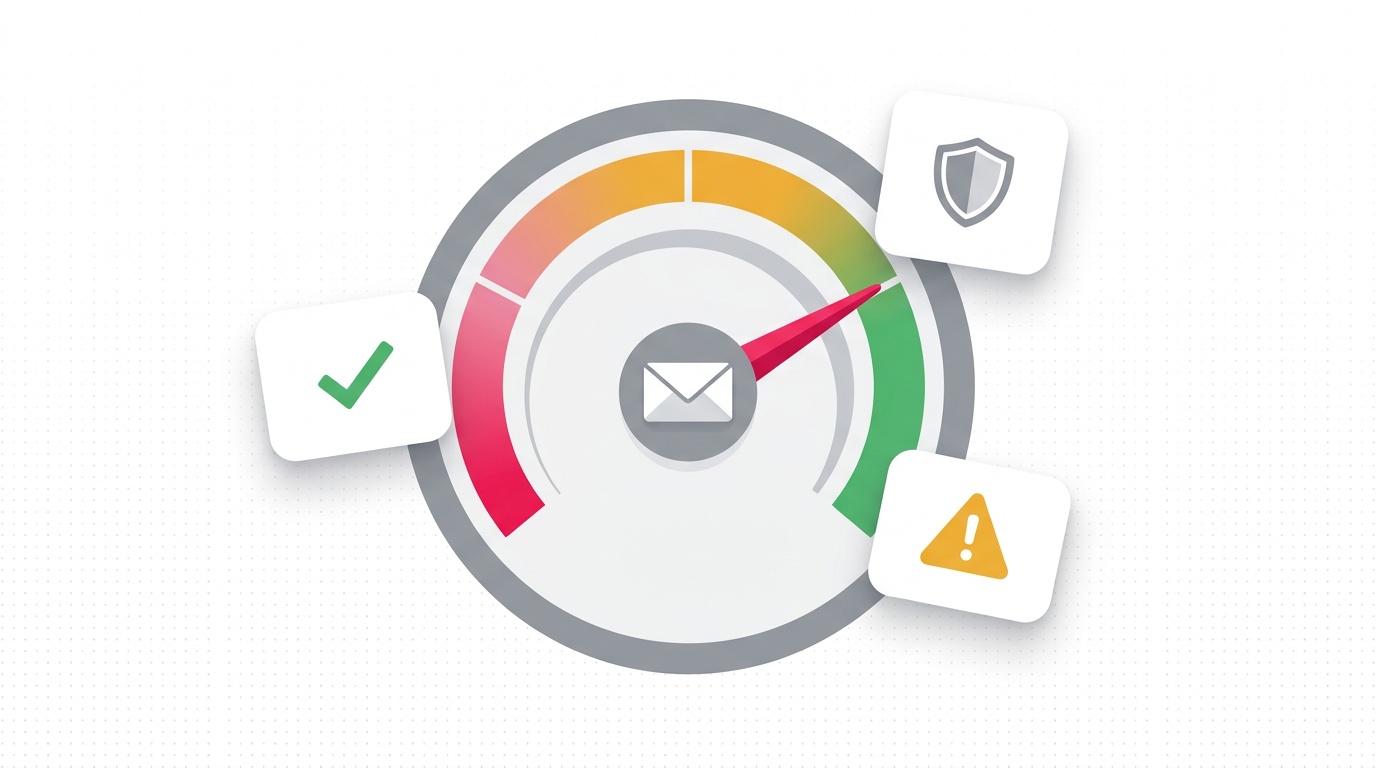
Your email spam score is a numerical rating assigned by spam filtering systems that determines whether your message is delivered to the inbox or flagged as spam. The most widely used system, SpamAssassin, scores emails on a scale where anything above 5 risks junk folder placement and anything above 10 is typically blocked outright. A score of 0-4 is your target zone.
I've spent years in the email deliverability trenches — first as a cold emailer trying to reach prospects, then building Consulti where deliverability is a core part of what we help users with. Here's what actually matters when it comes to spam scores and how to fix a high one.
What Is an Email Spam Score?
An email spam score is a composite rating calculated by spam filtering software analyzing your outgoing email. The score aggregates dozens of signals across three broad categories: authentication and sender reputation, technical factors, and content analysis.
The most influential spam filter in the world is SpamAssassin, an open-source project used by ISPs, email providers, and corporate mail servers globally. Gmail, Outlook, and Yahoo all run proprietary filters, but SpamAssassin's rules form the backbone of most filtering systems.
AI Overview Answer: An email spam score is a number (typically 0-10+) assigned by filters like SpamAssassin that reflects how "spammy" a message appears. Scores below 5 are generally safe for delivery; scores above 10 result in blocking. The score is calculated from authentication signals (SPF, DKIM, DMARC), sender reputation (IP/domain blacklists, complaint rates), and content analysis (trigger words, formatting, link ratios). To improve your score: authenticate your domain, warm up your sending IP, clean your list, reduce spam trigger words, and fix HTML formatting issues.
How SpamAssassin Calculates Your Score
SpamAssassin works by running your email through hundreds of individual tests, each of which adds or subtracts points from the total score. Understanding the major test categories helps you know where to focus your effort.
Authentication Tests (High Impact)
These are the most important. Failing authentication tests alone can push your score over the threshold.
| Test | Score Impact | What It Checks |
|---|---|---|
| SPF_PASS | -0.9 | Your domain has a valid SPF record and the sending IP is authorized |
| SPF_FAIL | +7.5 | SPF check failed outright — major red flag |
| DKIM_VALID | -0.1 | Valid DKIM signature present |
| DKIM_VALID_AU | -0.1 | DKIM signature aligns with the From domain |
| DMARC_PASS | -0.1 | DMARC policy passes |
| DMARC_NONE | +1.0 | No DMARC policy configured |
If you haven't configured SPF, DKIM, and DMARC, do that first — before anything else. A failed SPF check alone can add 7+ points to your score. See our complete SPF/DKIM/DMARC setup guide for step-by-step instructions.
Content Tests (Medium Impact)
SpamAssassin analyzes the text and HTML structure of your email.
High-scoring spam trigger words:
- Financial: "free money," "no credit check," "loans approved"
- Urgency: "act now," "limited time," "expires today"
- Medical: "lose weight," "miracle cure," "FDA approved"
- Generic marketing: "click here," "buy now," "order today," "guaranteed"
HTML structure issues:
- Excessive use of bold, color, or large fonts
- Very high image-to-text ratio (image-heavy emails with minimal text)
- HTML that contains JavaScript
- Invisible text (white text on white background — a classic phishing trick)
- URL redirects through link trackers (tracked links can add points)
Content-to-link ratio:
- Too many links for the amount of text raises red flags
- Links to known spam domains carry heavy penalties
- Link shorteners (bit.ly, tinyurl) are penalized on most systems
Header and Technical Tests (Medium Impact)
- FROM address matches domain: Your From header should match your sending domain
- Missing Message-ID header: Legitimate email systems always add this
- Date header issues: Emails dated in the past or future look automated
- Reply-To mismatch: When Reply-To differs significantly from From, flags go up
- Missing List-Unsubscribe header: Required for bulk sending; absence adds points
Sender Reputation: The Factor SpamAssassin Doesn't Control Alone
Here's what many guides miss: SpamAssassin scoring is only one layer. Major inbox providers — Gmail, Outlook, Yahoo — run their own reputation systems in parallel. Even with a perfect SpamAssassin score, a damaged sender reputation can tank deliverability.
IP Reputation
Your sending IP address carries a reputation score maintained by dozens of real-time blacklists (RBLs). Getting listed on Spamhaus, Barracuda, or SURBL can block delivery to millions of mailboxes.
How IPs get blacklisted:
- High spam complaint rates (above 0.08% is a yellow flag; 0.3%+ triggers action)
- Sending to spam trap email addresses (old abandoned accounts recycled by ISPs)
- Sudden volume spikes from a cold IP
- User complaints through "Report Spam" buttons
Check your IP reputation: Use MXToolbox Blacklist Check or Talos Intelligence to see if your IP is listed.
Domain Reputation
Gmail and Outlook specifically track domain reputation separately from IP reputation. This means:
- Moving to a new IP doesn't reset your domain reputation
- A domain with a long history of clean sending gets more slack on content rules
- New domains have no reputation — they need a warmup period before high-volume sending
Engagement Signals (Gmail/Outlook-Specific)
Gmail weighs recipient engagement heavily in its filtering algorithm:
- Positive signals: Opens, replies, clicking "Not Spam," adding to contacts
- Negative signals: Deleting without opening, marking as spam, ignoring consistently
This is why sending to an old, unengaged list is dangerous even if the content is clean. Recipients who never open your emails actively hurt your reputation.
How to Check Your Email Spam Score
Before fixing anything, you need to benchmark your current score.
Free Tools
-
Mail Tester (mail-tester.com): Send an email to a unique address they generate, then get a detailed SpamAssassin-based report with specific test failures. This is my go-to for diagnosing content issues.
-
MXToolbox Email Health (mxtoolbox.com/EmailHeaders.aspx): Paste email headers to check authentication results and blacklist status.
-
Consulti's Deliverability Tools (/tools/spf-checker): Check your SPF record configuration instantly.
-
Google Postmaster Tools (postmaster.google.com): If you're sending to Gmail addresses, this is the definitive source for your domain reputation score with Google. Requires DNS verification.
What to Check
After running a test, focus on:
- Authentication (SPF, DKIM, DMARC) — fix any failures first
- Content score — look at specific rules triggered
- IP blacklist status — if blacklisted, find the removal process for each list
- Link reputation — check if any URLs in your email are on block lists
10 Ways to Fix a High Spam Score
Fix 1: Configure SPF, DKIM, and DMARC
This is the single highest-impact fix available. If these aren't set up correctly, nothing else matters as much. Each authentication layer tells receiving mail servers that your email is genuinely from your domain.
- SPF: Publish a DNS TXT record listing the servers authorized to send email for your domain
- DKIM: Add a cryptographic signature to each email that receivers can verify against a public key in your DNS
- DMARC: Set a policy telling receivers what to do when SPF/DKIM fail, and receive reports on authentication results
Follow our SPF/DKIM/DMARC setup guide if you haven't done this yet. For most domains, this is a 30-minute fix with zero cost.
Fix 2: Warm Up New IPs and Domains
Cold IPs and new domains have no sending reputation — spam filters treat them with maximum suspicion. IP warmup means gradually increasing your sending volume over 4-8 weeks:
- Week 1: 50-100 emails/day
- Week 2: 200-500/day
- Week 3-4: 1,000-2,000/day
- Week 5+: Scale toward target volume
Only send to your most engaged subscribers during warmup. High complaint rates at low volume can permanently damage a new domain.
Fix 3: Clean Your Email List
List hygiene is ongoing maintenance, not a one-time task. Invalid addresses, spam traps, and role accounts (info@, admin@, postmaster@) all damage your sender reputation.
Remove or suppress:
- Hard bounces immediately (>5 bounces to the same address = permanent suppression)
- Addresses that haven't opened in 180+ days (segment and run re-engagement campaign before removing)
- Role-based addresses unless explicitly opted in
- Invalid syntax addresses
Use email verification before every major campaign. Consulti's verification tools use multiple verification APIs to confirm deliverability before you hit send.
Fix 4: Cut Spam Trigger Words
Review your email content against SpamAssassin's content rules (Apache SpamAssassin rules are public). The goal isn't to sanitize all persuasive language — it's to avoid the most egregious patterns.
Instead of:
- "Free" → "Complimentary," "No cost," "On us"
- "Click here" → Use descriptive anchor text
- "Guaranteed" → "Backed by," "With proof," "We've seen"
- "Act now" → "This is the link" or nothing
In B2B cold email specifically, the more conversational and plain-text your email, the better it scores. Heavy HTML newsletters are a different beast.
Fix 5: Fix Your HTML
If you send HTML emails, common structural issues spike spam scores:
- Image-only emails: If your email is 90% one image, filters flag it — they can't read images
- Image-to-text ratio: Aim for at least 60% text, no more than 40% image by visual area
- CSS that hides text: Spam filters look for visible/invisible text mismatches
- Missing alt text on images: Legitimate emails include alt text
- Malformed HTML: Run your template through an HTML validator
For cold B2B outreach, plain text or minimal HTML consistently outperforms rich HTML for deliverability. Save the design for newsletters going to opted-in subscribers.
Fix 6: Set Up a List-Unsubscribe Header
The List-Unsubscribe header allows email clients to display a native unsubscribe button. Gmail and Outlook both surface this prominently. When it's missing:
- Recipients are more likely to hit "Report Spam" instead of unsubscribing
- That complaint goes directly on your sender reputation record
Most email service providers add this automatically. If you're sending via SMTP directly, add the header manually:
List-Unsubscribe: <mailto:unsubscribe@yourdomain.com>, <https://yourdomain.com/unsubscribe>
List-Unsubscribe-Post: List-Unsubscribe=One-Click
Fix 7: Use a Consistent From Address
Inconsistent From addresses — sending from different addresses on the same domain, or mismatches between From and Reply-To — raise SpamAssassin scores and confuse inbox providers' reputation models.
Best practice:
- Use the same From address for the same campaign type
- If you use a Reply-To that differs from From, make sure it's on the same domain
- Avoid free email providers (Gmail, Yahoo) as your From address for business outreach — this is a major red flag and violates best practices
Fix 8: Reduce Link Count and Check Link Reputation
Each link in your email is a potential spam signal, especially if:
- The link points to a domain on spam blacklists
- You're using redirect chains or link shorteners
- The link domain doesn't match your sending domain
For cold outreach, I recommend: one link maximum per cold email. The value is in the conversation, not the click. More links = higher score = fewer conversations.
Check every URL you're sending through Google Safe Browsing and MXToolbox URL checker before launching a campaign.
Fix 9: Monitor Complaint Rates and Act Fast
Gmail Postmaster Tools and Yahoo's Complaint Feedback Loop both report your complaint rate. The thresholds that trigger algorithmic filtering:
- Gmail: Above 0.08% enters the yellow zone; 0.3%+ triggers aggressive filtering
- Yahoo/AOL: 0.1% complaint rate triggers filtering
- Industry: Above 0.5% on any platform signals a serious problem
When complaint rates rise, act within 24 hours:
- Pause the affected campaign
- Identify which segment generated complaints
- Suppress or re-permission that segment
- Diagnose why — content issue? List quality? Targeting mismatch?
Fix 10: Request Delisting from Blacklists
If your IP is blacklisted, most major blacklists have a self-service removal process:
- Spamhaus: spamhaus.org/lookup/ — provides removal form for listed IPs
- Barracuda: barracudacentral.org/rbl/removal-request
- SURBL: surbl.org/removing-a-uri-from-the-surbl-lists
- Spamcop: spamcop.net — listings auto-expire after 24-48 hours with no action needed if you've stopped the spam activity
Before requesting removal, fix the underlying issue. If you get delisted and the problem behavior continues, re-listing happens faster and removal becomes harder.
Spam Score vs. Deliverability Rate: The Difference
Your spam score affects deliverability but they're not the same thing. Even with a low SpamAssassin score, your email can be delivered to spam by Gmail if your domain reputation is poor. Conversely, a slightly elevated content score can be overcome by a strong domain reputation built over years of clean sending.
Think of it this way:
- Spam score = the individual email's cleanliness
- Sender reputation = the long-term trust your domain/IP has earned
- Deliverability rate = the actual outcome combining both
Focus on both layers. The email deliverability guide covers the reputation side in depth.
FAQ: Email Spam Score
What is a good email spam score? For SpamAssassin, a score below 5 is considered safe for delivery. Below 3 is excellent. Most mail servers set their blocking threshold at 5-10 depending on their configuration. For Gmail and Outlook, the spam score isn't exposed publicly — they use proprietary reputation systems that you access through tools like Google Postmaster Tools.
How do I check my spam score for free? The best free tool is Mail Tester (mail-tester.com). Send an email to their unique test address and receive a detailed report including SpamAssassin score, authentication check results, and content analysis. MXToolbox is also excellent for authentication and blacklist checking. Consulti's SPF checker can also verify your authentication setup.
Does spam score affect email open rates? Indirectly, yes. A high spam score means more emails land in junk folders, which dramatically reduces open rates since most users don't check their spam folder. If your open rates are suddenly low on a previously healthy campaign, check your spam score — deliverability issues often precede visible performance drops.
Can good content offset a bad spam score? Not reliably. Content improvements can lower your SpamAssassin score, but a poor sender reputation (bad IP, blacklisted domain, high complaint rate) will override content quality in Gmail and Outlook's filtering systems. Fix authentication and reputation first, then optimize content.
How long does it take to improve a spam score? Authentication fixes (SPF/DKIM/DMARC) take effect immediately — usually within 24-48 hours of DNS propagation. Content fixes are instant. Reputation recovery takes longer: blacklist removal can take 24-72 hours; Gmail domain reputation recovery after a complaint spike can take 2-4 weeks of clean sending to fully normalize.
Next Steps
Now that you understand how spam scores work, take these actions in order:
- Run a free spam test at mail-tester.com for your current sending domain
- Check your SPF/DKIM/DMARC with our SPF checker tool
- Check blacklist status for your sending IP at MXToolbox
- Fix authentication before anything else — it's the highest-leverage change
- Clean your list before your next send
For a complete deliverability audit, check our email deliverability guide — it covers warm-up strategy, bounce handling, complaint rate management, and inbox placement testing.
Related Posts
The Complete Guide to Email Deliverability in 2026
Email deliverability determines whether your emails land in the inbox or spam. In 2026, the average deliverability rate is 85% — meaning 1 in 6 emails is never seen. This guide covers authentication, sender reputation, list hygiene, and tools to diagnose and fix every common deliverability problem.
How to Set Up SPF, DKIM, and DMARC (Step-by-Step)
Setting up SPF, DKIM, and DMARC is the single most important thing you can do to protect your sending domain and stay out of spam folders. I've set these up for hundreds of domains and it's rarely as complicated as people think — but the mistakes can tank your deliverability for months. This guide covers the exact DNS records you need, common pitfalls I see every week, and how to verify everything is working correctly using free tools.
50 Cold Email Subject Lines That Actually Get Opened (2024)
After testing millions of cold emails, I've distilled 50 cold email subject lines that consistently outperform. The average open rate is 20-25%, but personalized subject lines push past 40%. These 50 lines are organized by category — curiosity, pain point, social proof, follow-up, and breakup — with open rate benchmarks and A/B testing tips.
Ready to find your next customers?
Search 10M+ verified B2B contacts and launch cold outreach campaigns with our free email deliverability tools.